Meet CMM: a modern method of measurement for construction
CMM gives construction professionals and AI systems a shared, consistent way to describe and measure building work.
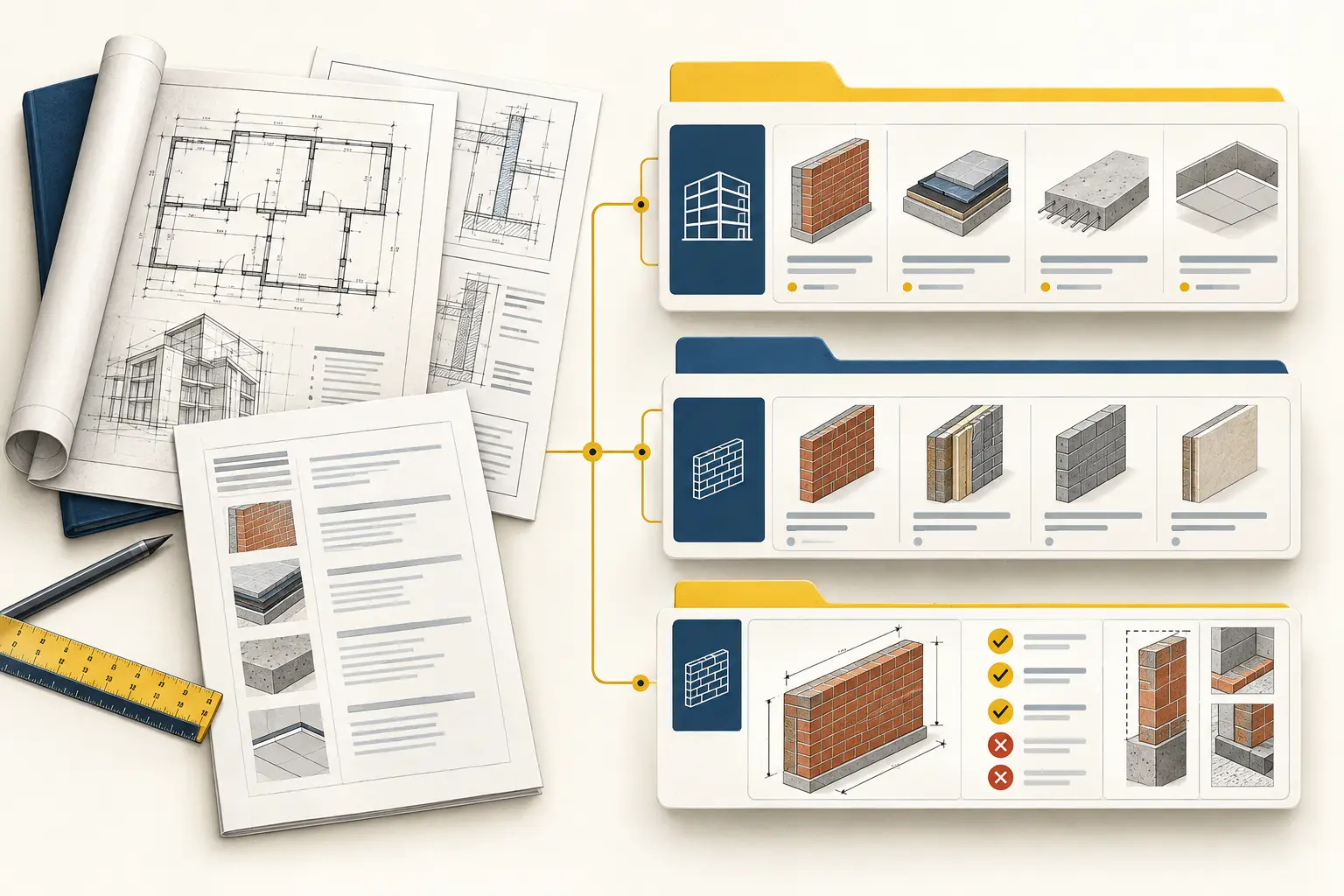
CMM / classification preview
CMM classification demonstration
This is a reviewed example, not a live Reader. The bars show counts, not AI confidence.
01 / Source wording
“External face brick wall, standard clay brick, 110 mm thick, stretcher bond, M3 mortar, ironed 10 mm joints, one face finished, ground level”
External brick wall; standard clay face brick; 110 mm leaf; stretcher bond; M3 mortar; ironed 10 mm joints; one face finished; ground-level location.
Details found in the wording
- Work
- Brick wall
- Material
- Clay face brick
- Thickness
- 110 mm
- Bond
- Stretcher
- Mortar
- M3
- Joints
- Ironed, 10 mm
- Finish
- One face
- Location
- External, ground level
02 / Evidence readout
Bar lengths compare these three reviewed examples only. Item selection does not confirm every contract detail.
03 / Where the work belongs
- L1
- 14 · Masonry
- L2
- 14-A · Walls
- L3
- 14.A.1 · Brick wall
04 / Candidate check
14.A.1 · Brick wall · m²
05 / Decision
Clear matchThe request names brick walling and gives contract details that belong to the brick-wall measured item.
What the item covers: Laying, bedding, jointing and cutting. Openings are deducted in full; worked reveals, jambs, soffits and sills are added at their actual area.
Current public release
CMM 1.0
CC BY 4.0
- Work sections
- 59
- Work subsections
- 203
- Measured items
- 801
- Contract details
- 1473
Release checksum · 8e227a98b038a2eb5bd10527fd311d496b1f5e43380564d13fb75c1744a3ff2c
CMM / Measured item
One entry explains how to measure the work.
Project documents can describe the same work in different ways. The CMM measured item gives the team one released entry to read before they measure it.
How the source arrives
Drawing note
Ground-floor concrete slab
Work schedule
Concrete floor
Site note
Check slab area at loading bay
Quantity sheet
Floor slab — m²
- 01Name
- The work being measured.
- 02Unit
- The unit used to record the quantity.
- 03One unit is
- A plain explanation of what one recorded unit represents.
- 04Inclusions
- Work that belongs in the measured item.
- 05Exclusions
- Work that must be measured elsewhere or recorded separately.
Construction work is often described differently across drawings, schedules, estimates and software. CMM gives people and AI one consistent way to find the work, understand what is measured and apply the stated rules before recording a quantity.
It stops at three levels: Work section, Work subsection and Measured item. The measured item is the practical entry a team uses. It states the name of the work, its unit, what one unit means, what is included, what is excluded and the rules for measuring it.
Clear rules reduce ambiguity. Materials, dimensions, locations, finishes and performance requirements remain individual contract facts, so people and software can review the same information without guessing.
Why use CMM
One measurement language, four practical benefits.
CMM keeps construction wording natural for estimators while giving software clear facts and boundaries to work with.
- 01Clearer measurement
- Clear rules establish what is measured and how quantities are treated.
- 02Less ambiguity
- Inclusions, exclusions and boundaries show where work belongs and help prevent gaps or double counting.
- 03Structured construction language
- Materials, dimensions, locations, finishes and performance requirements stay as clear individual facts.
- 04Designed for people and AI
- Estimators can read it naturally, while software can classify the same work and show what still needs confirming.
Start with the three CMM levels
Find the work in a simple path: Work section, Work subsection, then Measured item.
A Work section groups a broad kind of construction work. A Work subsection narrows that group. A Measured item is the specific entry used to measure and record the work. Reading down that path helps a team avoid choosing an item only because its name looks familiar.
Keep the project’s original words as evidence. If a note or drawing does not clearly fit the released item, stop and ask the project team rather than forcing the quantity into a nearby entry.
Do this
- Find the Work section before choosing a Measured item.
- Preserve the local wording instead of overwriting the evidence.
- Record an unresolved question where the project information is unclear.
Before you move on
Can another person follow the same three-level path and find the same Measured item?
Read the measured item before measuring
The item tells the team what the recorded quantity means.
Start with the name and unit. Then read “One unit is” so the team understands the thing being counted, measured by length, area, volume or another stated unit. This prevents a correct calculation being recorded against the wrong thing.
Read inclusions and exclusions with the measurement rules. They set the boundary of the item. Do not assume a nearby item carries omitted work; check where the guide says that work belongs.
Do this
- Read the name, unit and “One unit is” together.
- Check inclusions and exclusions before finalising a quantity.
- Apply the stated measurement rules and record any exception.
Before you move on
Can the team explain what one recorded unit represents and what is outside it?
Turn contract requirements into clear facts
The drawings and specification describe the project; CMM keeps each relevant fact visible.
Read the relevant drawings, specification, amendments and instructions alongside the CMM item. Material, size, location, finish and required performance remain separate facts from those contract documents rather than being buried in one long description.
CMM records contract requirements, not choices made later by the contractor. If a required fact is missing or conflicts with the measured item, keep the question visible instead of filling it from habit.
Do this
- Keep each stated material, dimension, location and performance requirement separate.
- Keep the source document and revision with the measurement.
- Ask for missing contract information instead of inventing it.
Before you move on
Could a reviewer see each contract fact and the document it came from?
Let people and AI use the same released guide
Technology can help people find and read the item, while the measurement remains open to review.
A person can search the guide, read the rules and decide whether the project information supports the item. AI can help find likely sections, summarise the released wording and point out a missing detail. People remain responsible for checking the project evidence and deciding how to record the quantity.
MCP provides read-only access to the same released CMM Levels 1–3 information. It can return the Work section, Work subsection and Measured item for inspection; it does not change the guide or replace the team’s review of the project documents.
Do this
- Use AI suggestions as a prompt to check the released item.
- Read the returned item and its rules before recording a quantity.
- Use MCP as read-only access to the released guide.
Before you move on
Can the team show that the recorded quantity came from released guidance and checked project information?
In short
What to carry into the next job
- CMM stops at Work section, Work subsection and Measured item.
- Each Measured item explains its name, unit, “One unit is”, inclusions, exclusions and measurement rules.
- People and AI can inspect the same released information, and MCP provides read-only access to it.
Sources and standards
Read the official guidance
Read next · Guide 02